You’re not logged in!
Please login to make use of this section.

Plugin
Version — 9.5
December 27, 2025
Pre-activated
Bookly PRO is a user-friendly WordPress plugin that streamlines online appointment bookings. Customize booking forms, get automatic reminders, accept online payments, and manage staff schedules effortlessly.

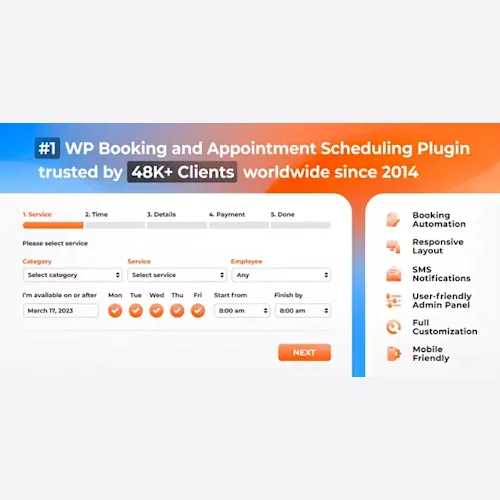
Bookly PRO is a powerful WordPress plugin designed to simplify appointment scheduling and booking management for businesses of all sizes. Whether you run a salon, clinic, consultancy, educational center, or any service-based business, Bookly offers an easy way for your clients to book appointments online, anytime.
Bookly PRO eliminates the hassle of manual scheduling and communication by automating reminders, confirmations, and follow-ups through email and SMS. This saves valuable time and reduces no-shows, helping your business run more smoothly.
The plugin integrates seamlessly with Google Calendar, keeping both you and your clients updated with real-time notifications about appointments and payments. Its user-friendly booking form is fully customizable, letting you adjust colors, service options, and fields to match your brand and services.
Bookly PRO supports integration with popular payment systems such as PayPal, Stripe, and Authorize.Net, ensuring flexible transaction options. It handles multi-provider businesses effectively by allowing individual staff schedules and availability settings. The plugin is compatible with the latest WordPress versions and offers regular updates to keep your booking system secure and efficient.
After purchase, upload the plugin ZIP file through your WordPress dashboard under Plugins > Add New > Upload Plugin. Once installed and activated, you can start configuring your booking forms and schedules immediately. Always unzip any downloaded package and ensure you upload the correct files.
With Bookly PRO, you can automate your booking workflow, improve client communication, and enhance your business productivity—all through a single, reliable WordPress plugin.
PressXO was created to make premium WordPress tools easier to access, especially for developers, freelancers, and everyday users who keep hitting expensive paywalls. We know how hard it is to find the right plugin or theme without spending too much or risking sketchy sites. That’s why we built this platform: to share clean, useful WordPress resources under the GPL, the way it was meant to be.
We take authenticity seriously. Every resource on PressXO is sourced from the original developer, untouched, unmodified, and safe to use. We scan files before uploading, and we don’t add malware, ads, or shady scripts. You download exactly what we’ve downloaded.
If you’re here to get Bookly PRO – Appointment Booking and Scheduling Software System, know that it’s not just a random file. It’s part of a trusted collection, sourced & uploaded from the developer directly for you to build better without spending much or risking their site’s safety.
You have a feedback to share or a version request for Bookly PRO – Appointment Booking and Scheduling Software System? Use the form below.
Please login to make use of this section.
Original price was: $99.$3Current price is: $3.