You’re not logged in!
Please login to make use of this section.

Plugin
Version — 3.7
December 27, 2025
Pre-activated
Add a convenient shipping calculator directly to your WooCommerce product pages. Give customers instant, accurate shipping cost estimates to enhance their shopping experience and boost conversions.

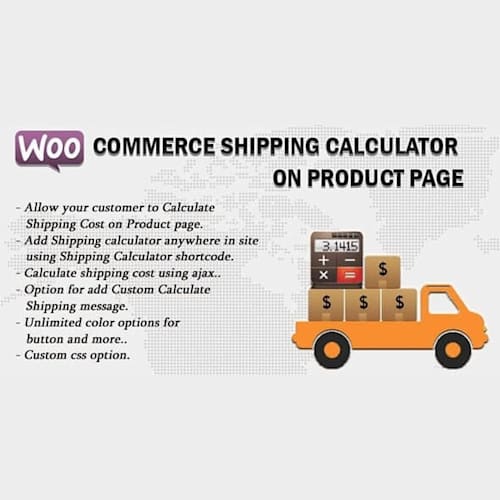
The WooCommerce Shipping Calculator On Product Page plugin brings convenience and clarity to your online store by allowing customers to calculate shipping costs directly on individual product pages. This practical feature helps reduce cart abandonment and boosts customer satisfaction by providing accurate shipping estimates before checkout.
Integrating a shipping calculator right where customers browse products streamlines the shopping experience. Buyers no longer need to add items to the cart and navigate multiple steps just to see shipping costs. This immediate transparency helps customers make informed decisions, speeding up the purchase process and improving sales conversion rates.
Current version: 3.7 (updated November 26, 2025). This update addresses bug fixes, compatibility improvements with popular page builders, and important security patches. The plugin comes as an easy-to-install ZIP file compatible with all standard WooCommerce installations. Users should ensure to upload the correct plugin file and follow standard installation procedures within the WordPress dashboard.
To install, download the plugin ZIP file and upload it via the WordPress dashboard under Plugins > Add New > Upload Plugin. After installation, activate the plugin and customize settings as needed for your store requirements.
PressXO was created to make premium WordPress tools easier to access, especially for developers, freelancers, and everyday users who keep hitting expensive paywalls. We know how hard it is to find the right plugin or theme without spending too much or risking sketchy sites. That’s why we built this platform: to share clean, useful WordPress resources under the GPL, the way it was meant to be.
We take authenticity seriously. Every resource on PressXO is sourced from the original developer, untouched, unmodified, and safe to use. We scan files before uploading, and we don’t add malware, ads, or shady scripts. You download exactly what we’ve downloaded.
If you’re here to get WooCommerce Shipping Calculator On Product Page, know that it’s not just a random file. It’s part of a trusted collection, sourced & uploaded from the developer directly for you to build better without spending much or risking their site’s safety.
You have a feedback to share or a version request for WooCommerce Shipping Calculator On Product Page? Use the form below.
Please login to make use of this section.
Original price was: €99.€3Current price is: €3.